
Tempmonitor Insulin & GLP1 kit pack of 10
The expiry date on this product is 1 July 2026.
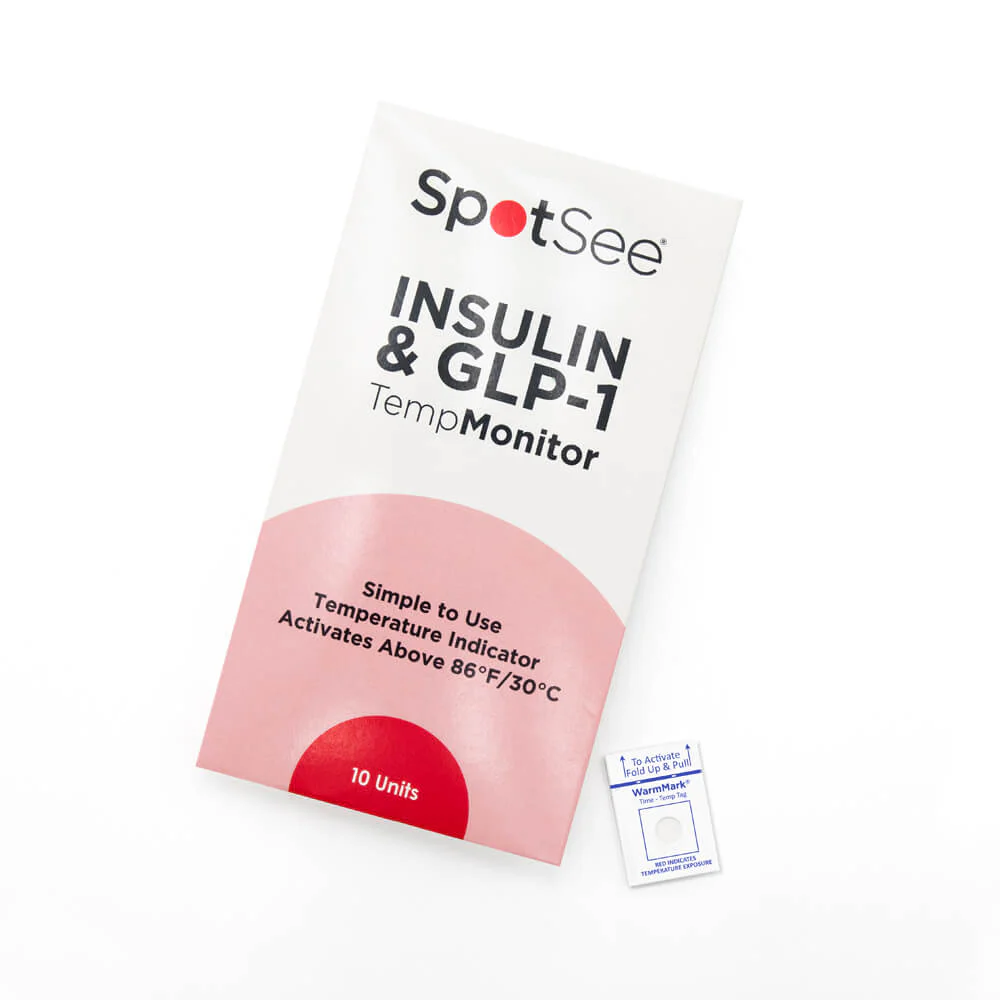
SpotSee Insulin and GLP-1 Temperature Monitor Indicators 10 Pack
TempMonitor is a WarmMark mini single-use indicator that provides patients with a simple yet effective way to ensure the integrity of their insulin. With a strong commitment to enhancing patient well-being, SpotSee's TempMonitor addresses the critical need for temperature-sensitive medication storage and transportation.
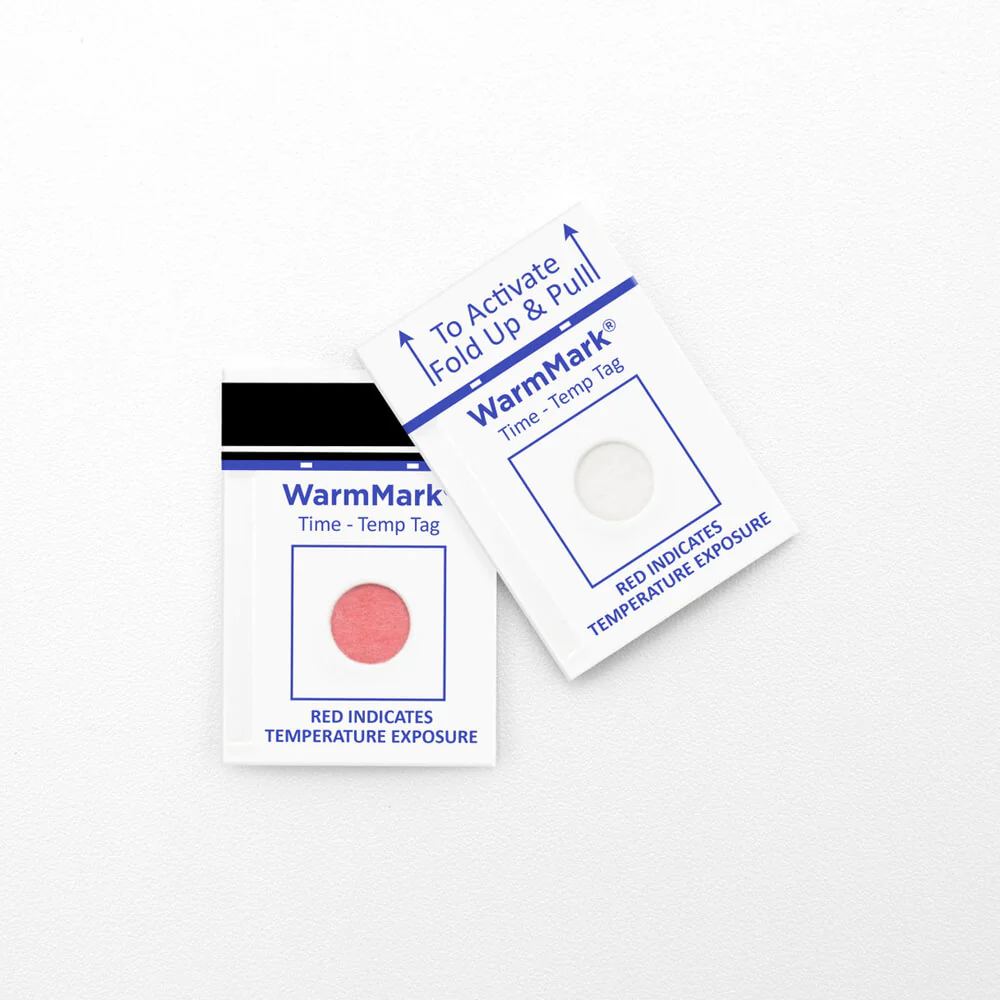
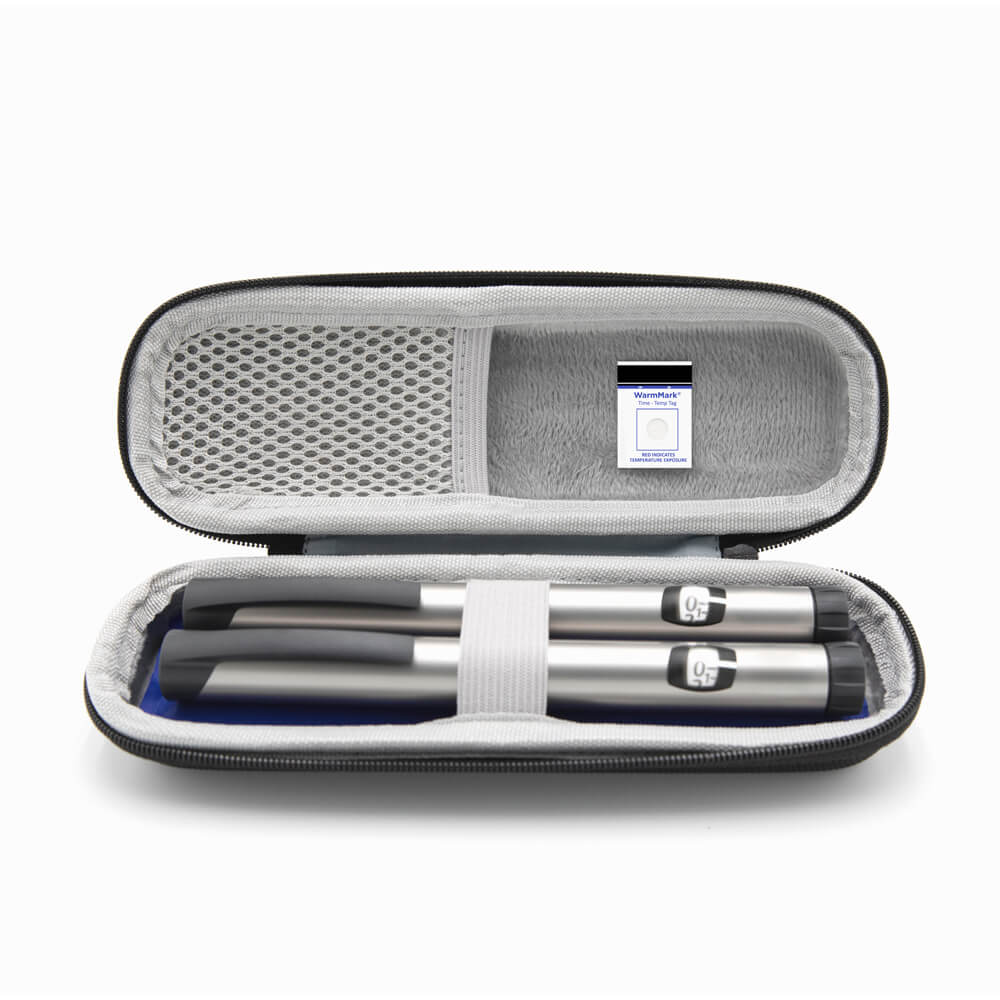
You simply stick the TempMonitor near, in its case or directly onto your insulin and after 30 mins at over 30 degrees the TempMonitor will turn red to indicate when you inject your insulin will not work and has got too hot.
This product is perfect for when you go on holiday, for hot summer days, when travelling long distances or if your insulin is stored in a hot enclosed space.
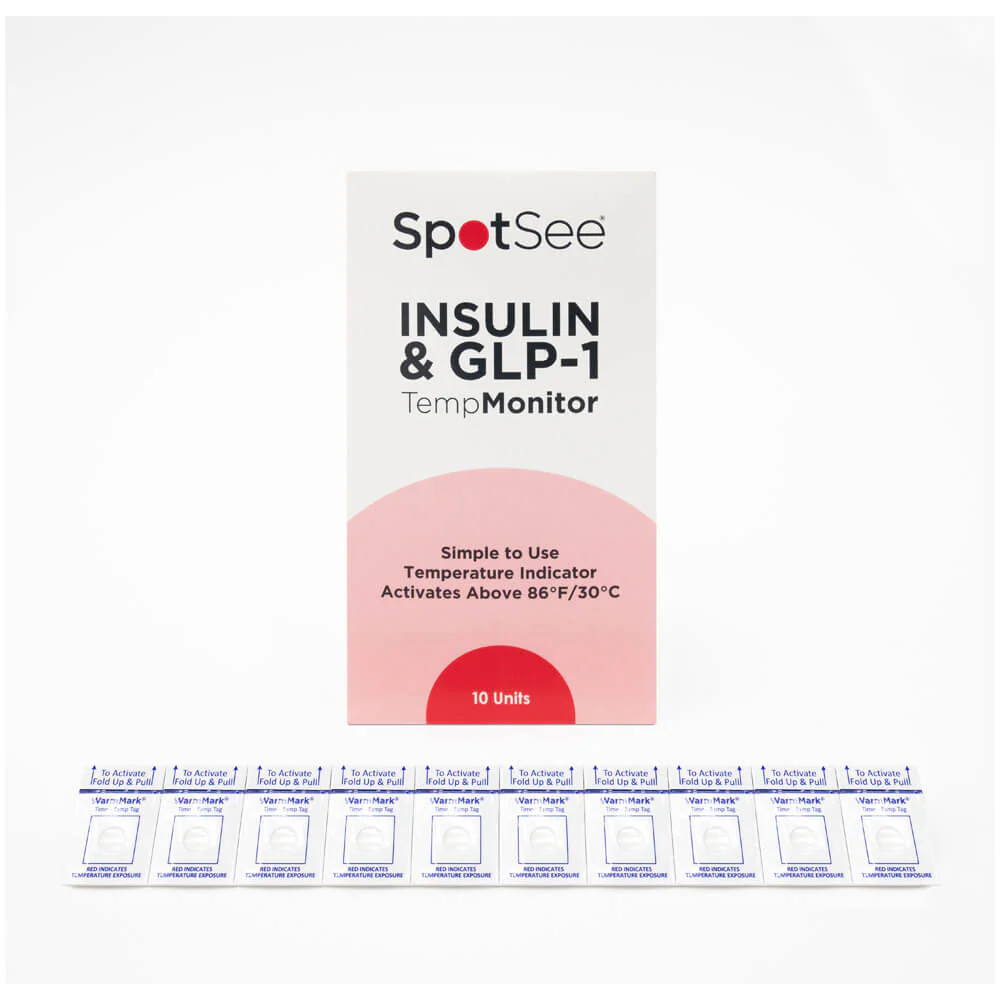
The TempMonitor is packaged as 10 units. Click on the Instructions for Use tab above for further instructions.
Instructions For Use
Step 1: Activate the WarmMark
Ensure your WarmMark Time-Temp Tag has remained at 77°F/25°C for a minimum of 30 minutes prior to pulling the tab. You can even place it in the refrigerator for 30 minutes before use if your room temperature is higher than 77°F/25°C. This step allows the tag to work as designed.
Step 2: Place Tag with Medication
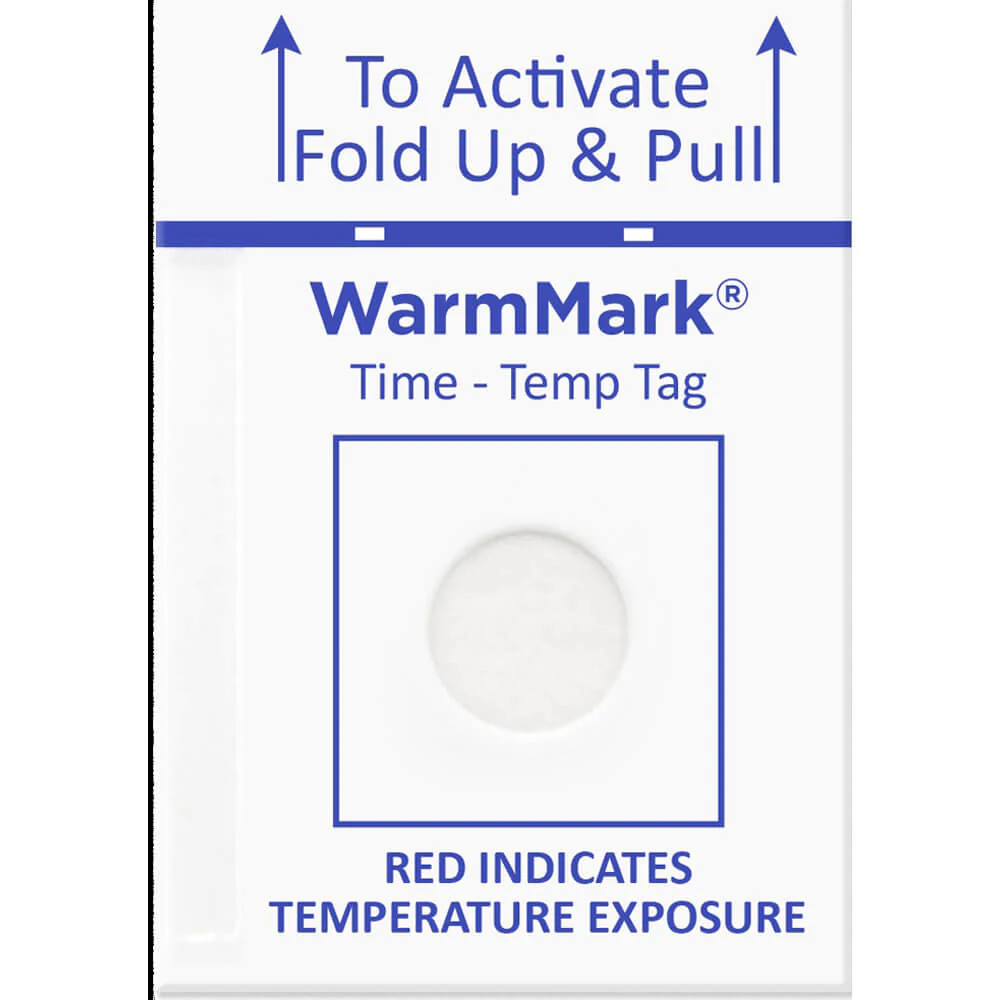
Activate the WarmMark Time-Temp Tag by folding and pulling up on the tab located at the top. Before activation, the viewing window of the WarmMark should be white. Once activated, place it next to your temperature-sensitive medication. Ensure the WarmMark goes wherever your medication does so you always know if it has gotten too warm.
Step 3: Monitor for Change
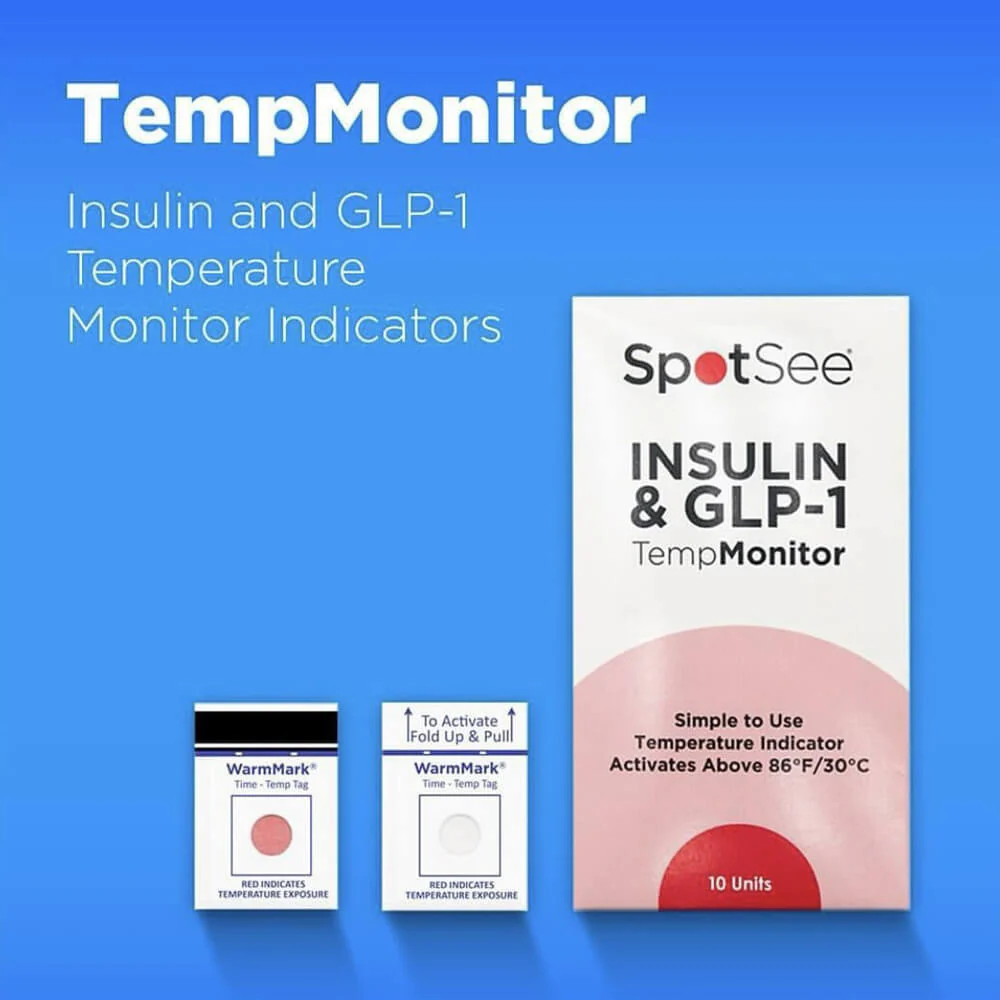
If the WarmMark experiences temperatures over 86°F/30°C (a common threshold medications shouldn't exceed) for about 30 minutes or less, it will turn pink/red, indicating an unacceptably high temperature. If the WarmMark is with your medication and the viewing window changes colours, you know your medication got too warm.
How to Read
White/No Colour Change
At any point, if the activated WarmMark Time-Temp Tag’s viewing window is white, it means the tag has remained below 86°F/30°C or has not been over that temperature long enough to trigger a colour change. An example of a tag that hasn’t seen an excursion.
Pink or Red
When the activated WarmMark has seen temperatures over 86°F/30°C, the viewing window will turn from white to pink/red. This indicates that the tag, and likely your medication, experienced 86°F/30°C for a minimum of 30 minutes or less.
Product Information
Product Information
Shipping & Returns
Shipping & Returns
Description
The expiry date on this product is 1 July 2026.
SpotSee Insulin and GLP-1 Temperature Monitor Indicators 10 Pack
TempMonitor is a WarmMark mini single-use indicator that provides patients with a simple yet effective way to ensure the integrity of their insulin. With a strong commitment to enhancing patient well-being, SpotSee's TempMonitor addresses the critical need for temperature-sensitive medication storage and transportation.
You simply stick the TempMonitor near, in its case or directly onto your insulin and after 30 mins at over 30 degrees the TempMonitor will turn red to indicate when you inject your insulin will not work and has got too hot.
This product is perfect for when you go on holiday, for hot summer days, when travelling long distances or if your insulin is stored in a hot enclosed space.
The TempMonitor is packaged as 10 units. Click on the Instructions for Use tab above for further instructions.
Instructions For Use
Step 1: Activate the WarmMark
Ensure your WarmMark Time-Temp Tag has remained at 77°F/25°C for a minimum of 30 minutes prior to pulling the tab. You can even place it in the refrigerator for 30 minutes before use if your room temperature is higher than 77°F/25°C. This step allows the tag to work as designed.
Step 2: Place Tag with Medication
Activate the WarmMark Time-Temp Tag by folding and pulling up on the tab located at the top. Before activation, the viewing window of the WarmMark should be white. Once activated, place it next to your temperature-sensitive medication. Ensure the WarmMark goes wherever your medication does so you always know if it has gotten too warm.
Step 3: Monitor for Change
If the WarmMark experiences temperatures over 86°F/30°C (a common threshold medications shouldn't exceed) for about 30 minutes or less, it will turn pink/red, indicating an unacceptably high temperature. If the WarmMark is with your medication and the viewing window changes colours, you know your medication got too warm.
How to Read
White/No Colour Change
At any point, if the activated WarmMark Time-Temp Tag’s viewing window is white, it means the tag has remained below 86°F/30°C or has not been over that temperature long enough to trigger a colour change. An example of a tag that hasn’t seen an excursion.
Pink or Red
When the activated WarmMark has seen temperatures over 86°F/30°C, the viewing window will turn from white to pink/red. This indicates that the tag, and likely your medication, experienced 86°F/30°C for a minimum of 30 minutes or less.